
1 Introduction
One of the most important factors in the design of a video game is the question of control mechanisms. The player’s control over the gameplay has to be comfortable, precise and unambiguous while at the same time suitable for the gaming environment and the way it is presented. Ideally, this control should be uniquely a part of the gameplay, in such a way that all other control mechanisms would be inferior. Indeed, the image of the gamer clasping a gamepad is as iconic to the world of videogames, even for non-gamers, as the ghosts in Pac-Man or Mario jumping over a Goomba.
Nevertheless, there has been no attempt so far to thoroughly look into the different mechanisms, examine them side by side and map them to the game situations in which they make sense. This work attempts to systematically explore the physical means of control, the mechanisms that can be implemented through them, and the situations in which these mechanisms can be applied.
Many control mechanisms are firmly established to the extent that players criticise diversions as obstacles to the playability. It is obvious, therefore, that these have to be examined in a historical context, since before they can become established, they first have to be invented and weighed against alternative mechanisms. The “WASD” keyboard paradigm, for instance, was preceded by “HJKL”, as I will show later. Similarly, simple mechanisms need to be described before extended variants can be usefully discussed, as only the existence of one mechanism allows for the lateral thinking necessary to invent another.
In addition, modern computing often involves using the same programming code for different platforms, particularly with websites that can be viewed on desktop computers, laptops, tablets or phones. In the case of games, it is considered good design to accommodate for all these devices and their different means and methods of control. All provided control mechanisms must therefore follow the established rules, which might include keyboards, mice, game controllers, touchscreens, and the reduced precision of laptops (touch pointing devices/smaller keyboards).
Although the physical aspects of control mechanisms are an important consideration in this work, it is mainly concerned with the more abstract concept of the ways in which specific elements of the game are controlled, and what limits that manner of control imposes. For instance, moving a character in a 2D environment usually forbids interacting with the third dimension, while free movement in three dimensions sacrifices precision in any two-dimensional plane.
Finally, it must be noted that there is a difference between game mechanics and control mechanisms. Control mechanisms refer to ways the player interacts with the game, while game mechanics refer to the ways the game reacts to player actions. Aki Järvinen puts it succinctly: “Game mechanics connect behavioural elements – players and context – to the systemic ones”1. Robin Hunicke, Marc LeBlanc and Robert Zubek, on the other hand, have a slightly different definition: “Mechanics describes the particular components of the game, at the level of data representation and algorithms”2. In both cases, however, the player (as a person in front of the machine) is not a part of the game mechanics.
In this work, I will briefly outline the studies adjacent to its ideas that have been conducted before in section 2, and the ways of categorising games that have been described by other authors in section 3, also explaining why I will not use the previous categorisations. I will then methodically list control devices, describing how they originated and how they can (and cannot) be used to control elements of computer software, in section 4. The main part of this work is presented in section 5, which lays out what control mechanisms can be found in the established categories of games, and looks at aspects of control mechanisms that cannot easily be categorised. Finally, the last two sections examine gaming scenarios that feature the described mechanisms in unusual ways (section 6) and that modify or fine-tune certain mechanisms (section 7).
2 Related Work
Game mechanics (as opposed to control mechanisms) have been an important part of game studies, often in the context of the ontology of games, as I have already shown in the introduction3. Miguel Sicart also acknowledges the player experience (though without direct reference to player control): “I define game mechanics, using concepts from object-oriented programming, as methods invoked by agents, designed for interaction with the game state. With this formalized definition, I intend to [...] [d]efine mechanics also in relation to elements of the game system, game hardware and player experience, mapping mechanics to input procedures and player emotions.”4
In her work Klassifikationen von Computerspielen, Angelika Richter examines several aspects of gaming, including game mechanics, narrative structure and – briefly – control mechanisms. While classifying the different types of rules found in games, in reference to Gonzalo Frasca’s Simulation versus Narrative: Introduction to Ludology5, she argues, “The rules of play that are most readily apparent, however, are not mentioned by Frasca. They can be called ‘rules of control’ since they determine the inputs which can be used to invoke actions in the game.”6 Apart from those sentences, she then dismisses control mechanisms and asserts they “only play a role during the first phase of getting acquainted with a computer game. Once the controls are internalised, they retreat to the background, since the player doesn’t have to reflect every keypress and instead executes it automatically.”7
One of the first people to examine games formally was Chris Crawford. In his book The Art of Computer Game Design8, he defines what games are, categorises them and proposes a design methodology. Many of his concepts are quite outdated (chapter 2 starts with the words: “Hundreds of computer games are commercially available on a variety of hardware configurations”9), but his central idea of defining what makes up games and their design still has value. He points out that interaction is an important factor of games that separates them from puzzles10 and spends some time on the “input structure”, though without presenting a framework of control mechanisms11. He does, however, acknowledge the importance of understanding both what the input device can do and how to map that to the actions a player can perform, developing a complex control scheme he calls the “webwork” based on “option richness versus input cleanliness”12 that seems a bit complicated for the reward of knowing which possibilities are open at any given time.
Katie Salen Tekinbaş and Eric Zimmerman examine the broad concept of interactivity in video games and touch some of the concepts in this article, for example meta commands (which they summarise as “macro-levels of choice-making”13), but they see control mechanisms only as “choice molecules” of an action and an outcome14. They acknowledge: “Just because a game’s input is limited to mouse and keyboard or console controller input does not mean that it has to rely on the conventions of other games”15, but do not follow that the control mechanisms are part of the game experience instead of design decisions.
3 Categorisation
It is readily apparent that some kinds of games are better suited for specific control mechanisms than others (or vice versa). A text-only game is not normally controlled with a joystick, while a platform game in the style of Super Mario Bros. is designed for a digital joystick or gamepad, not a mouse.
Attempts to categorise computer and video games have been around since the early days of the industry, but most of these categorisations focus on genres, which do overlap with the question of game mechanics and control mechanisms, but only incidentally. Angelika Richter provides a thorough look at different ideas of categorisation, encompassing the earlier works of Chris Crawford, Ullrich Dittler and Jessie Herz, as well as the categorisation of Wikipedia (which has changed since her work came out, but still remains rather fine-grained16) and other attempts that mostly take a literary or narrative approach.
One of the more modern approaches comes from Mark J. P. Wolf’s article Inventing Space – Toward a Taxonomy of On- and Off-Screen-Space in Video Games17. He builds his taxonomy along “the use of on-screen and off-screen space in the creation of a diegetic world”, intending to demonstrate the similarity of games to film and television, but, as Richter notes, “the analysis of his explanations makes it clear that two different themes were used for the formation of the categories: all categories are focused either on the representation of space or on the movement through space”18. Wolf sets up eleven categories, which are strongly focused on his concept of space and therefore unfortunately turn out to be unsuitable for the purposes of this work: “No visual space; all text-based”, “One screen, contained”, “One screen, contained, with wraparound”, “Scrolling on one axis”, “Scrolling on two axes”, “Adjacent spaces displayed one at a time”, “Layers of independently moving planes”, “Spaces allowing Z-axis movement out of frame”, “Multiple, nonadjacent spaces displayed on-screen simultaneously”, “Interactive three-dimensional environment”, “Represented or ‘mapped’ spaces”.
Categorising games along their spatial definitions still seems a good idea, since dimensionality is linked to movement and the way this movement can be controlled (as will become apparent in section 5.1). Instead of an examination of visible or ordered spaces like Wolf, I will instead use the following categories (whose properties will be explained in more detail in section 5) that are directly derived from types of movement:
- Text-based environments
- One-dimensional movement
- Two-dimensional movement
- Three-dimensional movement
- Multiple concurrent control schemes
- Special control schemes
- Meta control mechanisms
This system sacrifices the possibility of a strictly chronological order, which will lead to some jumping back and forth, but hopefully in a way that still seems logical as well as natural.
4 Control devices
Every computer or video game control device has its own input mechanisms that define the ways it can be used to control aspects of a piece of software.19 In this section, I will list the most important control devices, as well as a selection of special devices that have historically been used for games, and talk about their properties.
4.1 Keyboard
A keyboard is an incredibly unintuitive device. For historical reasons, the letter keys are not ordered alphabetically20, so that their positions have to be learned. Even if that were not the case, there are additional characters on a keyboard that do not have a natural (or previously learned) order.
The most obvious use is to type free text. In gaming terms, this was most prevalent in “parser” games, i. e. games that interpret typed-in text, like early adventure games – but text input is also sometimes provided even today in the form of a notebook feature, though rarely as an integral part of the game but rather a convenience feature to avoid the necessity of real paper notes. I will get into more detail on these uses in sections 5.2 and 5.8. A reduced form of this is the use of a specific character to express a choice, for instance by using numbers or alphabetical letters for selections in a menu.
Keys can also be bound to a specific action, and while keyboards are nowadays being partly usurped by controllers for this purpose (see section 4.7), they have also been used early on to control movement of an entity on the screen.
For planar movement (which I will examine more thoroughly in section 5.4) a setup of four keys corresponding to the cardinal directions suggests itself, though at this point it must be noted that there are different keyboard designs that can cope better or worse with multiple keys being pressed at once.
There are two possible problems with detecting multiple keypresses: detecting keys that are not being pressed as being pressed and not detecting keys that are being pressed. Both problems rarely occur with modern keyboard designs, but were often present with older, particularly low-cost keyboards. As an example, Dittrich et al. describe this for the Amiga keyboard: “If the column associated with ‘E’ is triggered and the processor queries the corresponding row, while ‘D’, ‘W’ and ‘S’ are actuated, it detects a short circuit between row and column which it naturally interprets as a pressed ‘E’ key”21. Control schemes that rely on multiple keys being pressed at the same time (diagonal movement by pressing the “up/down” and “left/right” keys in conjunction with a speed modifier key and/or an action key being the most common example) might suffer from these types of keyboards.
The positions of the letters on a keyboard are language-specific (usually named after the first six letters of the first letter row, which is sufficient for this work, these include QWERTY for English, QWERTZ for German, AZERTY for French, and others), which can cause all kinds of confusion with the ways keyboards can be used as control devices. Apart from normal text input, which will only be affected if the keys the software expects do not match the physical keyboard, all other uses tie an action to either a key position or a specific glyph on a key (a letter, a number or something else). Especially older games that were designed for QWERTY keyboards often did not take these scenarios into account. The most problematic situation occurs if both are needed, for instance when there are choices (say, a through e) that should be entered with the corresponding key, and a coherent block of four keys is reserved for movement. In this example, the a–e keys need to be language-specific, while the movement block needs to remain in its assigned position.
Keyboards are therefore versatile enough for almost all kinds of movement but also complicated enough to warrant a thorough examination of the implications during the control scheme design, in order to avoid the mentioned problems.
4.2 Joystick
Surprisingly, the history of the joystick predates digital computing by decades. There are unsubstantiated sightings that might go back to the 19th century22, and in 1907 an inventor by the name of Robert Esnault-Pelterie first equipped an aircraft with a joystick23, with the term itself probably first used around 190924.
In the gaming world of 1962, Steve Russell used a special controller for Spacewar! that has a few differences to joysticks as they are usually understood: it had two double-throw switches, one vertical and one horizontal, to control the spaceship, and a button to shoot the torpedoes25. Still, the basic design of switch-controlled horizontal and vertical axes and a fire button can be seen as a joystick prototype.
With the classic form used for video games (first patented in 1977 by Steve Bristow for Atari26), you handle a stick that can be moved freely to activate four digital switches, thus creating a closer correspondence between the control movement and the intended movement on screen than it can be achieved with a keyboard. As Alex Custodio points out (talking specifically about the d-pad, see section 4.7, but in a universally applicable way), while pressing down a button in a certain position might feel “intuitive for the way that [it] corresponds to a cardinal direction (especially in 2D games), the actual movement of the thumb is only downward.”27
The first joysticks, such as the one bundled with the Atari VCS in 197728, were equipped with one button, which took the role of a fire or action button. During the 80s, there were few changes in that design, though the mechanical setup was varied (springs vs. switches, rigid vs. loose stick, etc.) and there were cheat mechanisms such as auto-fire switches, which send a button press every few milliseconds. The first analogue joysticks for microcomputers also emerged around 1977. They had much the same shape, but a more fine-grained control was possible due to their analogue nature: instead of a switch being actuated for each direction, analogue sticks have a way of measuring the distance from the centre position, often through potentiometers.29
Apart from the number of distinct buttons – usually one or two, but of course there have also been specialised variants such as flight simulator control joysticks with several buttons – the basic design of the joystick has always remained the same, with the size being the main point of variance.
On the most general level, a joystick can control two dimensions, either distinctly (with the digital joystick) or with a value (with the analogue joystick). In both variants, adjacent directions can be combined: by moving the joystick to the top and left (for instance), a diagonal movement is implied.
4.3 Paddle
While probably less familiar to today’s readership than keyboards or joysticks, paddles were actually the first control devices for games known to a wider public. Pong had two wheels to control the rackets30, and so did the myriads of home clones in the early 70s. The first patent for a hand-held paddle was issued in 197631, so it can be assumed that the paddle as a standalone device originated there.
In general terms, a paddle is a wheel (in most cases with the addition of a button) that can be turned and will control one-dimensional movement with a degree of precision.
4.4 Mouse
Computer mice are ubiquitous enough to need no description. The general design of the mouse with a casing that is held and moved across a surface to control an analogous movement on the screen has stayed the same, but details changed fairly often since its inception. The first mouse prototypes were rather rough, but the first patent from 197032 already features the familiar rounded shape with three buttons. The main differences in future developments were the number of buttons (gaming mice often feature more than five), the addition of the mouse wheel originally used for scrolling, which was first presented in the late 80s and patented in 1994, though specifically for controlling objects in three dimensions33 and the method of movement detection, which was originally done through sectored discs, then a rubber ball, and then increasingly precise optical means.
A mouse enables a very versatile range of control mechanisms, some of which cannot be easily achieved with other devices. In addition to two-dimensional movement, the buttons can be actuated on their own or in conjunction with movement. Leaving aside the applications of the mouse wheel, there are some firmly established mechanisms:
- Clicking a button
- Double-clicking, i. e. clicking twice in quick succession
- Triple-clicking, i. e. clicking three times in quick succession
- Long-clicking, i. e. clicking and holding the button for a longer time, such as one second
- Dragging, i. e. clicking and holding a button while moving the mouse
- Hovering, i. e. moving the mouse to any position and then ceasing movement for a longer time
- Gestures, i. e. performing a movement sequence with a button pressed
All these mechanisms can be performed with any of the buttons (though for most of them, the left button is much more prevalent than other buttons). In addition, there is free mouse movement without actuating any buttons.
4.5 Trackball
Trackballs have existed longer than mice34, I just put them in this order because mice are well-known, which makes it easier to explain that a trackball is simply an inverted mouse. A (usually somewhat heavy) ball is set into a case and can be rolled to allow free two-dimensional movement.
4.6 Touch
There are different kinds of touch-sensitive devices, and while in the context of this work the technical realisation is not important, the distinction between different scales of touch representation remains relevant.
Due to technical limitations in evaluating the pressure on a touch-sensitive surface, most touch devices can only distinguish a certain number of touching objects at a time. Early touch screens could only register touch as such, while modern mobile phones and tablets can detect multiple touch actions at the same time with a precision of a few pixels. This development goes back to Frank Beck and Bent Stumpe’s report on their touchscreen for the CERN accelerator in 1973. The device was apparently capable of multi-touch, but this was considered undesirable: they describe that a variable “changes value [...] when a button is touched. The touching of other buttons [...] is protected against by software”35, where a “button” is a drawn box on a screen.
There are two main applications for touch technology: pointing devices (like on a laptop) and touchscreens. While a touch-sensitive pointing device basically emulates a mouse – tracing a finger over the device’s surface moves the mouse pointer, while physical buttons represent the mouse buttons –, a touchscreen usually has no buttons and therefore needs to provide different functionality for click actions.
Any pointing device is similar enough to a physical mouse to consider it as such within the scope of this article. The touchscreen, however, offers different means of control than a mouse or trackball.
Tapping the screen can be interpreted as equivalent to clicking a mouse button with the position of the tap on the screen doubling as the mouse cursor position. It follows that there is no way to decouple movement on the screen from touching it, which is equivalent to dragging a mouse (with a button pressed). Moving from one point to another can only be performed on a touchscreen when there is a touch involved at least at the end of the movement.
Conversely, one action that cannot be performed with a mouse is the “pinch to zoom” movement made popular from zooming into and out of pictures on a smartphone or tablet. For this movement where two fingers are placed on a screen and then moved closer together or farther apart, the screen must be able to detect multiple touches.
4.7 Controller
Strictly speaking, of course, a controller is any device that controls something, including all other devices in this section, but in this work, I use the term to refer to a specific gaming device (as do most gaming people) that combines some of the mechanisms outlined above. The modern game controller usually features two analog joysticks (that can be pressed down as buttons as well), a directional pad (or d-pad, see below), four buttons in a diamond-shaped arrangement, four "shoulder" buttons at the top of the device, and a selection of additional buttons, mostly two or three. With the Steam controller36, new means of control were introduced in recent years, but the basic layout has remained largely unchanged. This design was refined over the last four decades, originating in its most simple form on the Nintento Entertainment System (NES), as a simple rectangular brick with a d-pad, two action buttons, a select and a start button.37 The Super Nintendo Entertainment System (SNES) controller added two more action buttons and two shoulder buttons38 along the top, and the first appearance of the modern form was the PlayStation in 199439, which just added two more shoulder buttons, for a total of four (two left and two right), but featured the “bone” shape of the core controller with two handles for the first time.
The d-pad was invented by Nintendo’s star designer Gunpei Yokoi. Alex Custodio explains: “Yokoi had developed the D-pad for the Donkey Kong Game & Watch after their earlier two-handed or diagonal button configurations no longer proved sufficient.”40
4.8 Specialised devices
The preceding sections featured detailed explanations of different kinds of mechanisms that can be used to control items in a gaming environment. There are already some overlaps between the methods or the ways they are achieved (buttons on a mouse or joystick and keyboard keys are conceptually the same thing, to give a particularly obvious example), but with the exception of the “controller” all listed devices have features the others do not, as well as being of some historical interest. But there are countless other devices in addition to the ones listed above, some of which are meant to be general-purpose, while others have a specific use.
I will only give a brief overview here, as it would go beyond the scope of this article (and be futile) to try and find a complete and detailed list of special controllers.
Light pen and light gun
A light pen is touched to a screen and provides the position on the screen to the software. In that function it is a precursor to the touchscreen.
The light gun also determines a position on a screen, but in that case the device is pointed from a distance.
Glove controller
Starting with the Mattel Power Glove41, there have been different control devices wearable as a glove. These usually use haptic feedback to provide a sense of the environment and feature buttons that are actuated with the other hand, in addition to the movement of the fingers in the glove.
Guitar and other musical instruments
The Guitar Hero series introduced controllers shaped like guitars and other musical instruments to the home gaming scene. These are specifically designed to play the games they were bundled with but have been reverse-engineered and used in other gaming engines as well.42
Nintendo Wii Remote
This device exclusive to the Nintendo Wii43 was interesting in that it provided a large number of motion and position sensors that were used in different ways in the games for that platform. For instance, in Wii Sports the Remote is used as a tennis racket, a baseball bat and golf clubs (with swinging and putting actions) as well as for rolling a bowling ball and performing boxing moves.
Gesture detection
While the Nintendo Wii Remote and similar technology like wearable devices allow for some basic gestures through motion sensors, there are camera-based control mechanisms that can detect a full range of gestures or even body movements. These have been used in fighting games, for example.
MIDI devices
MIDI (Musical Instrument Digital Interface) devices like musical keyboards, but also guitar and wind controllers, are usually not used in a game context, but software like MIDIMonster44 enables full control of computer actions through MIDI messages. I have included MIDI devices here because MIDI connections have been used for networking (most prominently in 1987’s MIDI Maze) and while this looks like a normal network connection, technically MIDI messages are used to control the player character on the other players’ machines.
Virtual-reality systems
Modern virtual reality systems usually consist of a headset, a set of controllers and one or more spatial sensors or cameras. While the in-game camera is controlled with head or eye movements, and hand movements might be detected and reflected in the game, in terms of control this represents a combination of gaming controllers and movement detection in varying degrees. While impressive in its precision, in the context of this work VR will not be treated as a special control scenario.
4.9 Further device considerations
One of the earliest manifestations of gaming devices is the arcade cabinet. Cabinets were mostly custom-built for one particular game, and that can be seen as the reason devices like the paddle originated with them. In theory, the control devices for an arcade cabinet can have any form, and there have been bicycle handlebars (for Paperboy), car dashboards (for several racing games), guns (for shooting games), musical instruments (e. g. for Taiko no Tatsujin) as well as several types of movement detection (e. g. for Dance Dance Revolution and a number of trading card games). As in section 4.8 it would not be possible or useful to list all different setups of arcade machines, so this should be taken as an aside.
There are two further classes of devices that have already been mentioned but play a minor role in this article: mobile devices (cf. section 4.6) and laptops (cf. section 1).
Mobile gaming is really a medium on its own, as recently examined by Logan Brown in his article The Mythical Mass Market (Brown 2024). While mobile games are generally subject to the same conditions as non-mobile games and can therefore be regarded as just a port to another device, there are some special characteristics. Over their history, mobile devices have changed drastically in the last three decades, from cellular phones with primitive games (Nokia’s Snake comes to mind), to specialised mini computers like the PalmPilot or the later Psion models, to Smartphones with their all-touch paradigm.
The concept of mobile games has originated with these restrictions but evolved to an ecosystem of games that are almost, but not quite, the same as desktop computer or console games. The main differences are that mobile devices usually have some features that stationary devices do not, particularly GPS tracking and a host of orientation and acceleration sensors, and that they are, by their very nature, limited to their native interfaces. Of course, other control devices can be connected via Bluetooth, USB or other means, but that decreases mobility, and the typical case that mobile games will have to acknowledge is that of a mobile phone or tablet without any other extensions.
But apart from the differences between mouse and touch control, which have already been established in section 4.6, there are no major caveats in using a mobile device for gaming, so the discussions on control mechanisms will not treat them as a special case (though I should note that Paul Cairns et al. find: “the control mechanisms in mobile games, as in other games, are able to influence the gaming experience that players have”45).
Similarly, laptop computers are usually not equipped with a mouse and use smaller-sized keyboards. From the point of view of this article, they are a special case of mobile gaming: a mouse, monitor and larger keyboard can be attached, but the distinction to a desktop computer is lost in that case. The mouse substitutes provided with laptops usually take some getting used to, but they can be categorised as touch devices or specialised analogue joysticks. For that reason, laptops will not be regarded as a special case in the following sections either.
One case that does merit closer examination is control with body parts other than the hands. Feet have already been mentioned earlier in this section, as many dancing games use foot mats for detection of the dance moves. But another interesting application are mouth controllers as mainly used by tetraplegics. These are fully featured game controllers, for example the QuadStick46, which has a joystick, four two-way breath pressure sensors and a lip position sensor as an analogue axis.
5 Control mechanisms
Now that the means of control in a game have been outlined, it’s possible to describe the control mechanisms that make use of those means.
The following subsections, starting with section 5.2, will explore different kinds of control mechanisms as set forth in section 3.
5.1 Dimensionality
There is a general consensus that “three dimensions” refers to a system of three spatial dimensions, and “four dimensions” means the same three-dimensional system with time as an additional measure. While this is not necessarily the case for all dimensional representations (since any measure can be used as a dimension, and a two-dimensional coordinate system, for instance, might show time and temperature or number of people and income), it makes sense to work with those four dimensions when examining movement in game spaces. By convention, the three spatial dimensions are usually labelled x for left-right measurement, y for up-down measurement and z for forward-backward measurement, and I will adhere to this convention for the rest of these sections.
The most important thing to note is that I will be discussing the dimensions that the player controls, not the dimensions that are represented. While it might seem that these should be the same, this is not really the case. On the one hand, the display will generally be two-dimensional, even when showing a three-dimensional world (which means that the representation of dimensions can be based on projections), on the other, a control scheme must not necessarily match the dimensionality of the world in which it is employed. For example, early racing games usually featured a three-dimensional first-person perspective, but only a two-dimensional control scheme of left/right steering and acceleration/braking.
Similarly, the control scheme might be further decoupled from the displayed space. In many games with an isometric perspective, for instance, the player character moves diagonally, while the controls use the cardinal directions.
Time is rarely actively controlled by the player, except in pausing the game. Still, time often plays an important role for playability, as with jumping where the precise timing of the jump action is crucial for a satisfying look-and-feel. Also see section 5.7 for a short look at games that do allow the player to control time.
5.2 Text-based environments
Many early games didn’t have graphics and were instead based on textual descriptions of the current situation and some means of entering commands. Keyboards are the natural choice of input devices for these games, but it is worthwhile to look at alternative means that were used or at least would have been possible.
Many of the first text games like The Sumerian Game or Hamurabi were management games that prompted the player to input values for food units, monetary amounts, numbers of people and the like. Most of these values were purely numerical, so any device that allows entering a number by whatever means would be suitable for these games. Indeed, OXO, one of the first implementations of a Tic Tac Toe game from 1952, uses a rotary telephone wheel to input the position of the next piece in the game.
Those simple games are not concerned with dimensions, only time passes between moves in a very general sense. But there are also text games that can be said to possess dimensionality, for instance Star Trek, which features a two-dimensional star map that has to be navigated. Text adventure games with their navigation along compass directions (north/east/south/west) can also be seen as two-dimensional and often break the barrier to the third dimension with the addition of exits. Some text adventure games even feature portals to other places (for instance, Spellbreaker), which can be interpreted as travelling along a different axis than the three spatial dimensions and therefore introducing a fourth one.47
5.3 One-dimensional movement
There can be no movement in zero dimensions, but, maybe counter-intuitively, there is a wealth of one-dimensional games.
In the most well-known variant of one-dimensional movement, the player character can only move in one direction while some kind of action takes place around them. A game that immediately comes to mind is Space Invaders, in which the action takes place above the player character, who can only move left and right and shoot. Usually, this kind of game represents control with some means of left-right movement and a fire button.
Pong is an even simpler one-dimensional game, though here there are two players that each have their own one-dimensional axis, and there is no fire button, so the control mapping is rather simple. It is interesting to note, though, that an analogue control device able to provide some measure of speed in addition to the direction is more important in a game like this than the one mentioned above.
Many games with one-dimensional movement, however, are presented in a two-dimensional space with the illusion of upward and downward movement. A good example is B.C.’s Quest for Tires: the player character rides on a unicycle on a screen scrolling right to left and has to avoid branches by ducking and obstacles on the floor by jumping. The relative horizontal position on the screen can be freely chosen by moving to the left or right, jumping and ducking are initiated by the up and down directions, respectively. At a first glance, this seems to be a two-dimensional control scheme, but the only free dimension is the horizontal screen position, while the other two actions only incidentally take place on the vertical axis: if it were possible to saw off the branches and fill in holes in the ground instead of ducking or jumping, the game would play exactly the same, only without any notion of vertical movement.
For games of this kind, the control scheme can be abstracted as horizontal movement with additional actions, in the case of Quest for Tires two. This maps to two movement controls and a number of action buttons, so it is reasonable that the controls are often represented as the four cardinal directions, as in our example game.
How the one dimension is presented on the screen is of no importance, as up-down movement is conceptually the same as left-right movement. Indeed, the coordinate system can be arbitrarily rotated as long as the movement axis does not change during gameplay.
There are also experiments in true one-dimensional movement, like the excellent recent Paku Paku, in which movement takes place on an infinite band that only allows the directions left or right.
5.4 Two-dimensional movement
In a two-dimensional scheme, movement will take the form of a horizontal and a vertical component, and there are additional actions to consider as well.
The first type of game many people will think of when they consider two-dimensional movement is the jump-and-run or platform game, with Super Mario Bros. being the most popular example. In these games, progress usually takes place horizontally, while exploring the vertical space by jumping, diving, digging into the earth, climbing ladders etc. unlocks rewards like additional points, shortcuts or power-ups. However, there are many other environments with two-dimensional movement. For one, early platform games were often limited to one screen without scrolling, and indeed scrolling is not a requirement for any movement found in such a game.
It is possible to play platform games with a keyboard, but they are usually specifically created with joystick control in mind. For instance, unlike normal left and right movement, the vertical directions often have a double function: up means jump or climb upward (on a ladder, rope, tree, etc.), and down means duck or climb downward. Remembering different keys for jumping and ducking in addition to vertical movement would be hard enough on a keyboard, but with a classic one-button joystick it would not even be possible to have controls for each of these actions.
Whether actions like jumping should be initiated with a button or simply by moving upward is largely a question of playability. Both have different implications. While on a rope, it would not easily be possible to signal the intent to jump off (instead of just dropping down) without a separate button. Therefore, the actions open to a player govern how certain classes or groups of actions are initiated.
As already outlined in section 5.1, timing is an important element of many actions such as jumping. Often, the game character can be controlled in mid-air while jumping to fine-tune the landing position. This is of course not physically realistic behaviour but greatly enhances the playing experience as a reflection of player skill, as can be seen when comparing Pitfall! (which has no way of controlling a jump after initiating it) with Super Mario Bros. More modern games that are meant to be played with a controller – i. e. games from around the year 2000 onward – often favour the analogue stick over the d-pad and are therefore able to provide an even smoother control for such actions.
A different kind of two-dimensional scenario is the top-down view popularised in “shoot ’em up” games like Asteroids or Commando. While those examples are controlled in much the same way as their side-view siblings with the main difference being the absence of gravity, there is also one top-down genre with a completely different control scheme: the real-time strategy or RTS game, a genre that started in 1992 with Dune II. These games usually feature a cursor and are therefore designed to be played with a mouse, though the cursor can also be moved with different devices. All actions in an RTS game take place in the two ground dimensions by selecting first an item and then an action to perform on it (or first an action and then a position to perform it on). Those actions can be moving an item, ordering it to perform an operation, changing it in some way, attacking it, etc. Typically, all the usual selection types of computer desktop environments are featured: selecting one item by clicking it, selecting several items by clicking them with a modifier key and drawing a rectangle to select everything in it.
Two-dimensional control schemes are also prevalent in many 3D environments. I already mentioned racing games in section 5.1, which present a three-dimensional world that can be navigated horizontally while changing the speed of moving forward (on the z-axis into the display) by accelerating or braking. A more common variant in games like Space Harrier has the same representation of the world, but a two-dimensional control scheme on the x- and y-axes.
Doom – for many the definitive start of the first-person 3D game era – has no concept of vertical overlapping48, and therefore employs a two-dimensional control scheme: the camera is limited to horizontal panning, and there is no jumping. In fact, insurmountable waist-height obstacles are present from the first level and emphasise the lack of this feature. There are multiple floors in some levels, but these are reached via stairs with nothing above or below them, so they are conceptually no different from a flat path. As a general observation, any three-dimensional representation of a two-dimensional playing field like a 3D maze game has to rely on a two-dimensional control scheme since there are no other dimensions of movement. (As before in section 5.3, I’m counting jumping or ducking in these scenarios as generic actions and not movement.)
Interestingly, there is also a two-dimensional control scheme that uses a polar coordinate system instead of a cartesian one: in “tube” games like Tempest, horizontal movement control is interpreted as traversing the (three-dimensional) playing field in a clockwise or counter-clockwise movement. Tempest itself actually employs a one-dimensional control scheme (and was played with a paddle wheel), but most games of this type also have a way of progressing vertically, which is interpreted as moving further away from or towards the outer rim, respectively, or in the third dimension.
5.5 Three-dimensional movement
Finally, since the advent of “true” 3D games with the publication of Quake and the like, 3D control schemes have become a common occurrence.
In most first-person 3D games of this type, a full 3D movement scheme is used that comprises free movement in two dimensions on a floor plus ways of changing between floors by climbing, jumping or (mostly limited) flying. This free movement can proceed in different ways: turning the character to the left and right and moving forward and backward, or moving into all four directions, also called “strafing” to the left and right.
In some cases, these games have limited movement in all three dimensions in special situations like underwater scenarios or reduced gravity. The Tomb Raider games are good examples of these cases. Games of this kind usually have an “up” and a “down” control instead of a means to navigate in all three dimensions.
However, there are also some games that feature completely free movement throughout, like the Descent series. In these cases, movement is usually realised as turning your character along all three axes and then applying thrust toward the character’s front. Braking may be provided as a way to slow down movement, but in most cases, there is also some measure of aerodynamic drag that slows movement automatically.
To sum up, three-dimensional movement implies the following possible moves:
- Free movement to the left, right, forward and backward
- Jumping/moving upward
- Ducking/crouching/moving downward
- Turning left or right (around the y-axis)
- Turning forward or backward (around the x-axis)
- Tilting sideways (around the z-axis)
If a game provided all of these, the control scheme would need 12 actions for movement, which is too much for most control devices. Therefore, the variety of control mechanisms grew gradually over the first years of first-person 3D games. In Doom (strictly speaking a two-dimensionally controlled game, as mentioned above in section 5.4, but included here as an important early first-person game), movement takes place by moving forward and backward and turning left and right with the arrow keys. To strafe, the ALT key is pressed. The movement speed can be increased by pressing the SHIFT key. There are only two additional actions, shooting and activating buttons/opening doors. While it is possible to play with a mouse instead, the mouse controls are unusual from today’s perspective: the player can only turn left and right and use the right mouse button to walk forward; shooting is done with the left mouse button, and double-clicking the right mouse button fires the activating/opening action; strafing is only possible with the middle button of a three-button mouse.
Those controls can be remapped, but other keyboard schemes were adopted reluctantly at the time. See section 7 for more information on the history of keyboard movement.
Subsequent games added free mouse-look and looking up- and downward with special keys, and the underwater and jumping scenarios mentioned earlier were introduced to create the first three-dimensionally controlled games. At the same time, the control schemes became more familiar, so it was acceptable to add these additional actions without overtaxing the players.
As mentioned in the introduction, free movement in a 3D space sacrifices some precision for movement on any two-dimensional plane: without a means to lock one (freely chosen) axis, it is practically impossible to reliably stay on one plane when moving. This is further complicated by the fact that the player usually cannot see their character’s feet while moving, so they can only estimate where they are going.
Since all actions can be arbitrarily remapped by the player in modern games, it would be exhausting to list all possible key/mouse combinations, but there are some established standards it is worthwhile to mention. As there are so many different actions to control, most games use keys or buttons sparingly and assign them multiple functions, which usually cannot be split up. In addition to the movement controls listed above and a few functions like toggling a torch, all the main functions typically share one or two buttons, and there are two more for attacking and blocking. This reduction of action buttons can at least partly be traced back to the growing popularity of game controllers with their configuration of four main action buttons and four shoulder buttons (see section 4.7). This is mostly due to console gaming, where playing with a mouse and keyboard is highly unusual.
For playing with a controller, the third-person perspective is more common than the first person, as that feels more natural to control with two analogue sticks for movement and for the camera view to replace the keyboard and mouse in the descriptions above. Apart from this visual distinction, first-person and third-person perspectives are controlled the same way.
There are also other types of three-dimensional scenarios like billiard games where the cue is controlled independently of the camera (so it’s neither a first-person nor really a third-person view), but they all boil down to camera and action controls and the differences in terms of control schemes are not very big.
5.6 Multiple concurrent control schemes
Sometimes different dimensionalities can come together in a game. A trivial example is a room with a game of chess where navigating the room follows a 3D control scheme and the chess game is played in a 2D control scheme.
A common occurrence of a similar combination is in space games where most of the space navigation is three-dimensional, but the galaxy is represented as a two-dimensional map with a destination star system to select. In fact, a game can often be broken down into a series of mini-games each of which has a different control scheme so that two- and three-dimensional parts can be found alongside rhythm parts with a zero-dimensional control scheme (see next section), and running away from a threat and climbing are often realised with one-dimensional controls: go forward or go back.
There are few games that deliberately use different dimensionalities within a single environment, but one mechanism that has been used a few times, notably in Superliminal, is projection. The character can take an item and move it upward and downward, but since the three-dimensional game world is projected on the player’s two-dimensional screen, there is no discernable difference between moving an item up (along the y-axis) and moving it further away (along the z-axis). When the character drops the item after moving it upward it will reappear as a bigger version of itself further away.
A different example is Fez, in which the player actively uses the third dimension to rotate different two-dimensional representations of the world, each with different implications like two separate parts of a bridge that connect when viewed from another angle.
5.7 Special control schemes
Section 5.3 started with the observation that there can be no movement in zero dimensions, which is true – but it is possible to have actions in a game with zero controlled dimensions. One example is BIT.TRIP RUNNER where the player character automatically runs from left to right and the player controls a growing number of actions like jumping, ducking etc. that have to be initiated at a precise point in time.
The other extreme is the four-dimensional environment. (More than four dimensions are theoretically possible, but the few games to boast five or more dimensions are mostly playful experiments where parallel arrangements are treated as a different dimension.) The most well-known four-dimensional shape is, of course, the tesseract as the extension of the cube into the fourth dimension, “generated from a cube by a movement of every part of the cube in a fourth direction at right angles to each of the three visible directions in the cube”49.
Since it is difficult to represent a four-dimensional space on a screen, many four-dimensional games use a three- or even two-dimensional control scheme and abstract the fourth dimension into some way of switching between different three- or two-dimensional representations. 4D Golf is a recent example with a distinct graphical representation of that switch. Others rely on simple shapes such as a tesseract or rectangular objects of similar properties in a four-dimensional environment and control scheme. 4D Building Blocks, for instance, is a very simple geometrical puzzle game that is challenging by its four-dimensional gameplay.
Menu-driven games – often text games, but there are also the rather more modern visual novels that are usually played via menu selection – can effortlessly switch between arbitrary representations, including changing the dimensionality of the current control scheme. In that they are unique as no transition is necessary between different representations.
Another dimension that can be controlled is time, as mentioned before. Usually, time is an inevitable element that is either ignored or used to command movements as in a racing game, but there are rare games that allow the player to control time as well.
The most obvious way to control time is through a time machine as in Day of the Tentacle, though strictly speaking this happens at a narrative level. There are different levels of control in a time-travel game, from the question whether the player can initiate time jumps to the level at which changing a detail in one time period affects other periods. Even if the player cannot control at all when a time jump is initiated, being able to change a fact of a future period in the current environment can still be seen as controlling time in a very limited sense.
Some games allow to switch times directly, such as The Silent Age, which makes manipulating time an integral part of the game. In other games, manipulating time is as much a part of the normal gameplay as movement. However, this does not necessarily make it a four-dimensional control scheme, as the spatial control might be limited to one or two dimensions. Braid, for instance, is a spatially two-dimensional game with time manipulation as a third controlled dimension.
While controls can quickly become complicated if there are too many, a game can also deliberately complicate its controls, as an experiment or to make a point. Flappy Bird is a popular example in the latter of those two categories in that it has just one control mechanism – pushing a button to move upwards – that is deliberately hard to use. The most famous example of the former category is probably QWOP, where a ragdoll runner is controlled by individually moving their leg joints.
QWOP can also be regarded as a 1:1 control scheme where one control movement equals one item movement. Moving limbs that way is unusual and complicated, but for machinery or mechanical joints, this can be a useful control mechanism.
5.8 Meta control mechanisms
Apart from the game mechanics, the game interface must also provide some meta commands, such as starting and ending the game.
Modern games usually have game menus which provide mechanisms for starting and leaving the game, setting options, changing the player profile, saving and loading a game state and others. All of those are clearly meta commands, but there are also actions inside the game itself that can be regarded as meta-actions, at least in part.
A typical example is a journal: it shows texts that are ostensibly part of the game world but is kept in a way that is incongruent with the player character’s observable actions. While the journal is usually written from the character’s point of view (but there are also many journals written in the second person), it is meant to point the player to the important pieces of information they learn during gameplay. Whenever something is added to the journal, there is some form of indication such as a short text message or a sound effect, often the sound of a pen or nib writing on paper. While this is supposed to portend that the action of updating the journal takes place in the game world, no time passes for it, so it must be regarded as a meta-action.
The same can be said for maps, which are often updated in real-time without any indication of how this is happening inside the game world (as exemplified by the auto-mapping feature of many action games), but can also sometimes be interpreted to be a part of the game world, with denizens specifically referring to the player character’s map, or even adding to it. In modern role-playing games like The Elder Scrolls IV: Oblivion, the character usually has to visit a location once before it gets added to the map, so it is at least generally meant to be a part of the game world.
Some modern games see the map and particularly inventory managing as in-game actions and don’t stop time while the player interacts with them. For playability reasons, however, these actions almost never take as long as they would in a real-life situation: putting an item into a bag or taking it out and changing clothes would be especially time-consuming activities that take a much shorter time in the game context, if they take time at all. In that regard, it is a matter of debate whether those actions should be regarded as meta-actions or not, and whether they can be said to control aspects of the game or rather change its parameters, for instance by providing a time lapse mechanism.
The lines are further blurred in online multi-player scenarios where time usually isn’t stopped even if a player enters the game menu.
Time itself can also be part of the meta controls, when the game’s speed can be changed. Like difficulty settings that have a direct influence on details of the game such as the toughness of enemies or the frequency of certain events, this also influences the game itself.
Even unambiguous meta commands have an influence on the gameplay, such as saving taking some stress out of the proceedings or quitting the game changing the perception of continuity. In that regard, meta commands are an important aspect of the control mechanisms in gaming.
6 Special control scenarios
Especially in public-facing scenarios, control mechanisms are often refined, modified or exploited to gain additional advantages that aren’t necessary (or desirable) in normal gameplay.
Competitive gaming is an area in which milliseconds count, so the choice of controller is one of the aspects that might determine the outcome of a match between equally abled players. “Gaming mice” and “gaming keyboards” have become a niche catering not necessarily to professional competitive gamers but to aspiring champions. Aside from features like programmable macros or lighting to indicate different control schemes, these gaming devices are usually more responsive and, in the case of mice, have a higher resolution.
Even these specialised devices might not be capable of overcoming certain boundaries set by hardware limits, for instance the time needed to push down a button.
This has been a big issue in the world of Tetris competitions. Without going into too much detail, at some point in the game the speed of the pieces falling down becomes so high that it is practically impossible to play with the normal controller setup.50 To address that problem there are two special control methods that were introduced in 2011 and 2021, respectively: “hypertapping” and “rolling”51, two techniques that allow the player to actuate buttons more quickly with special finger movements.
Another niche form of competitive gaming is speedrunning, a discipline that involves finishing games (or parts of games) as quickly as possible, usually by exploiting bugs or unforeseen ways of solving problems. Some of the methods introduced by the speedrunning scene can be seen as unusual control mechanisms, i. e. methods of moving outside of the normal game mechanics, especially in first-person 3D games. Apart from simple observational advantages like speed boosts from jumping or running backwards in some games, there are specialised techniques such as “rocket jumps” (popularised by Quake speedruns)52 where the blast of an exploding projectile is used to propel the player character. In “plasma climbing”, the momentum of the plasma gun (also in the Quake series) or sometimes other weapons is used to cling to a wall and move along it, bridging gaps in the floor or even reaching a different floor.
7 Modern considerations
The modern game audience, casual players as much as gamers, has come to expect a certain degree of influence over the way games are played. Mapping control schemes is one thing that is seen as self-evident today. A game that supports keyboard/mouse control as well as controllers is expected to provide the same measure of control mechanisms to both kinds of play. Conversely, a game that doesn’t support both types is often viewed as unfinished by the proponents of the unsupported scheme, and keyboard-only controls are usually only accepted for experimental games.
Many players configure the key binding to their liking: while the w, a, s, d keys, also called “WASD” (or “wasd” in lower-case letters) have come to be the standard keyboard way of moving in the cardinal directions, there are players who prefer a different setup.
Indeed, the preferred keys evolved over a period of many years. Up until 1981, keyboards didn’t have the “inverted T” arrow key configuration that is considered standard today. Jim Burrows, one of the people at Digital Equipment Corporation responsible for the LK201 keyboard, remembers: “[T]he three most common [sic] used non-alphanumeric keys in editors were the arrow keys [...] [T]he order of use was: left, right, down and finally up. Inverse-T put the three most used arrow keys all on one row.”53
Due to this and the slightly different early keyboard layouts, other cursor schemes were introduced, for example the famous HJKL from the vi editor or IJKL as an early “inverted T” scheme.
WASD came up for Quake online gaming when people noticed that a good keyboard-mouse arrangement was an advantage over other players. The WASD layout was popularised by Dennis Fong after winning a match against John Carmack54. Incidentally, there are keyboard layouts that don’t have those four keys in a coherent block, such as AZERTY (cf. section 4.1), which reinforces the need to be able to reconfigure keymaps. Similar considerations are the “invert Y” setting present in many games that allows players to control vertical movement as in a plane (up/forward for downward movement and vice versa), and the desire to remap keys or buttons to address misconfigurations like wrong controller or keyboard setups.
A different “modern” way of playing games is via an emulator or an engine55. The games played with such means are usually older, but many of the features they offer are modern, such as the ability to use controllers instead of keyboards or joysticks or a “save memory state” function that basically eliminates the need to restart old games from the beginning with every attempt.
8 Conclusion
In this article, I have examined control mechanisms of computer and video games. I have separated the mechanical controlling devices from the mechanisms used in games and shown different ways of employing the means of control in control schemes. While it is impossible to list all control devices in the limited space of an article, I have covered, both at a technical and historical level, the most important and given an overview of other types of devices. In my systematic examination of control mechanisms, I have looked at previous attempts to categorise games, and derived my own categorisation based on dimensional world representations in games. Along those categories, I have explained what the concept of control mechanisms means in different environments and shown differences between the visual representation of the world, and the means to navigate in it. I have also presented different modern scenarios of using these mechanisms and assigning devices to them.
With this article, I hope to have given a comprehensive view and opened the gate for further examinations of control mechanisms as a part of the mechanics that make up the technical realisation of games.
List of media
Games
Addis, Mabel: The Sumerian Game (IBM 7090). USA: International Business Machines Corporation 1964.
AM R&D Dept. #2: Space Harrier (arcade game). Japan: by SEGA Enterprises Ltd. 1985.
Armanto, Taneli: Snake (Nokia 6110). Finland: Nokia Corp 1998.
Atari, Inc.: Paperboy (arcade game). USA: Atari, Inc. 1984.
Atari, Inc.: Pong (arcade game). USA: Atari, Inc. 1972.
Bandai Namco Studios: Taiko no Tatsujin (arcade game). Japan: Bandai Namco Entertainment 2001.
Bethesda Game Studios: The Elder Scrolls IV: Oblivion (Windows). USA: Bethesda Softworks LLC 2006.
Blow, Jonathan: Braid (Xbox 360). USA: Microsoft Corporation 2008.
Dyment, Doug: Hamurabi (PDP 8). USA: Digital Equipment Corporation 1968.
Foddy, Bennett: QWOP (browser game). USA: Self-published 2008.
Fujiwara, Tokuro: Senjoo no Ookami (international title: Commando) (arcade game). Japan: Capcom 1985.
Cho, Kenta: 1D Pac-Man PAKU PAKU (browser game). Japan: ABA Games 2023.
CodeParade: 4D Golf (Windows/Macintosh/Linux). Unknown country: CodeParade 2024.
Core Design Ltd.: Tomb Raider (MS-DOS). Great Britain: Eidos Interactive Limited 1996.
Crane, David: Pitfall! (Atari 2600). USA: Activision, Inc. 1982.
Fish, Phil: Fez (Xbox 360). USA: Microsoft Corporation 2012.
Foster, Ryan: Clone Hero (Windows/Macintosh/Linux/Android). Unknown country: Clone Hero team 2017.
Gaijin Games: BIT.TRIP RUNNER (Wii). Hungary: Gaijin Games, Choice Provisions 2010.
Green, Shawn C. et al.: Doom (MS-DOS). USA: id Software, Inc. 1993.
Green, Shawn C.: Quake (Windows). USA: id Software, Inc. 1996.
Harmonix Music Systems, Inc.: Guitar Hero (PlayStation 2). USA: RedOctane, Inc. 2005.
Konami: Dance Dance Revolution (arcade game). Japan: Konami 1998.
Kulas, Michael; Toschlog, Matthew: Descent (MS-DOS). USA: Interplay Productions, Inc. 1995.
Lebling, David: Spellbreaker (several computers). USA: Infocom, Inc. 1985.
Mayfield, Mike: Star Trek (Sigma 7). USA: Self-published 1971.
Miyamoto, Shigeru: Super Mario Bros. (Famicom). Japan: Nintendo Co., Ltd. 1985.
Nintendo R&D1: Tetris (NES). Japan: Nintendo Co., Ltd. 1989.
Nintendo EAD: Wii Sports (Wii). Japan: Nintendo Co., Ltd. 2006.
Nguyen Ha Dong: Flappy Bird (iPhone). Vietnam: .GEARS Studios. 2013.
Rains, Lyle; Logg, Ed: Asteroids (arcade game). USA: Atari, Inc. 1979.
Russell, Steve: Spacewar! (PDP-1). USA: Massachusetts Institute of Technology 1962.
Ryder, Thomas: The Silent Age: Episode One (iPhone). Denmark: House on Fire ApS 2013.
Shih, Albert: Superliminal (Windows). USA: Pillow Castle LLC 2019.
Sydney Development: B.C.’s Quest for Tires (C64). USA: Sierra On-Line 1983.
Taito Corporation: Space Invaders (arcade game). USA: Midway Mfg. Co. (1978).
Theurer, Dave: Tempest (arcade game). USA: Atari, Inc 1981.
Trappmann, Henryk: 4D Building Blocks (portable Java game). Unknown country: Self-published 2007.
Westwood Studios: Dune II: The Building of a Dynasty (MS-DOS). Great Britain: Virgin games 1992.
Douglas, A. S.:OXO (EDSAC). USA: University of Cambridge 1952.
Xanth Software F/X, Inc.: MIDI Maze (Atari ST). Unknown country: Hybrid Arts, Inc. 1987.
Texts
Beck, Frank; Stumpe, Bent: Two devices for operator interaction in the central control of the new CERN accelerator. Geneva: CERN Yellow Reports (1973). DOI: 10.5170/CERN-1973-006.
Blosset, Lise: Robert Esnault-Pelterie: Space Pioneer. In: First steps toward space; proceedings of the first and second History Symposia of the International Academy of Astronautics at Belgrade, Yugoslavia, 26 September 1967, and New York, U.S.A., 16 October 1968. Washington, D.C.: Smithsonian Institution Press 1974, pp. 5–31.
Brown, Logan: “The Mythical Mass Market”: Design, Habit and the Invention of the American Mobile Gamer. In: Game Studies 2024.2 (2024). <https://gamestudies.org/2402/articles/brown> [7 Mar 2026].
Burrows, Jim: The Nerd Corner: Inverse-T History. Personal website 2008. <https://www.eldacur.com/~brons/NerdCorner/InverseT-History.html> [7 Mar 2026].
Cairns, Paul et al.: The influence of controllers on immersion in mobile games. In: Proceedings of the SIGCHI Conference on Human Factors in Computing Systems. CHI ’14. New York: Association for Computing Machinery 2014, pp. 371–380. DOI: 10.1145/2556288.2557345.
Cook, Drew: Spellbreaker: The Cube on the Box. In: Gold Machine (personal website) 2023 <https://golmac.org/spellbreaker-the-cube-on-the-box/> [7 Mar 2026].
Crawford, Chris: The Art of Computer Game Design. Berkeley: Osborne/McGraw-Hill 1984.
Custodio, Alex: Who Are You? Nintendo’s Game Boy Advance Platform. Cambridge, MA: The MIT Press 2020.
Dittrich, Stefan et al.: Amiga Intern. Düsseldorf: Data Becker 1987.
Frasca, Gonzalo: Simulation versus Narrative: Introduction to Ludology. In: The Video Game Theory Reader. Routledge 2004, pp. 221–236.
Graetz, J. Martin: The Origin of Spacewar. In: Creative Computing 1981.8, pp. 56–67.
Herman, Leonard: Phoenix: The Fall & Rise of Videogames. Third edition. Little Egg Harbor: Rolenta Press 2001.
Hinton, Charles H. The Recognition of the Fourth Dimension. In: Bulletin of the Philosophical Society of Washington, Vol. 14, 1900-1904. Washington D.C.: Judd & Detweiler 1906, pp. 179–203.
Hunicke, Robin et al.: MDA: A Formal Approach to Game Design and Game Research. In: AAAI Workshop - Technical Report. Vol. 1. Washington, D.C.: Association for the Advancement of Artificial Intelligence 2004.
Järvinen, Aki: Games without frontiers: methods for game studies and design. Saarbrücken: Verlag Dr. Müller 2009.
Kafaee, Mahdi et al.: The QWERTY keyboard from the perspective of the Collingridge dilemma: lessons for co-construction of human-technology. In: AI & SOCIETY 39.3 (2024). DOI: 10.1007/s00146-022-01573-1.
Kelfer, Riley Scott: What Is “Speedrunning?” Industry, Community, Identity. In: Senior Scholar Papers 568 (2022). <https://digitalcommons.colby.edu/seniorscholars/568>.
Lowood, Henry: Videogames in Computer Space: The Complex History of Pong. In: IEEE Annals of the History of Computing 31.3, pp. 5–19. DOI: 10.1109/MAHC.2009.53.
Maugh II, Thomas H.: (Dec. 10, 2001). Civil War Sub’s Secrets Bared. In: Los Angeles Times from 10 Dec 2001. <https://www.latimes.com/archives/la-xpm-2001-dec-10-mn-13360-story.html> [9 Mar 2026].
Montfort, Nick; Bogost, Ian: Racing the Beam: The Atari Video Computer System. Cambridge, MA: The MIT Press 2009. DOI: 10.7551/mitpress/7588.001.0001.
Orland, Kyle: 34 years later, a 13-year-old hits the NES Tetris kill screen. Ars Technica 2009. <https://arstechnica.com/gaming/2024/01/someone-has-finally-beaten-nes-tetris/> [9 Mar 2026].
Richter, Angelika: Klassifikationen von Computerspielen. Potsdam: Universitätsverlag Potsdam 2010.
Sanglard, Fabien: Game Engine Black Book: DOOM. v1.2. Independently published in 2022.
Sicart, Miguel: Defining Game Mechanics. In: Game Studies 2008.2 (2008) <https://gamestudies.org/0802/articles/sicart> [9 Mar 2026].
Tekinbaş, Katie Salen; Zimmerman, Eric: Rules of Play: Game Design Fundamentals. Cambridge, MA: The MIT Press 2003 [E-Book].
Wilde, Tyler: How WASD became the standard PC control scheme. PC Gamer 2016. <https://www.pcgamer.com/how-wasd-became-the-standard-pc-control-scheme/> [9 Mar 2026].
Wolf, Mark J. P.: Inventing Space: Toward a Taxonomy of On- and Off-Screen Space in Video Games. In: Film Quarterly 51.1 (1997), pp. 11–23. DOI: 10.2307/1213527.
Patents
Alexander, William F.: Tracking control apparatus. U.S. pat. 3013441 (Atari 1961). <https://www.pat2pdf.org/pat2pdf/foo.pl?number=3013441> [7 Mar 2026].
Bristow, Stephen D.: Joystick with attached circuit elements. U.S. pat. 4091234 (Atari 1977). <https://www.pat2pdf.org/pat2pdf/foo.pl?number=4091234> [7 Mar 2026].
Engelbart, Douglas C.: X-Y position indicator for a display system. U.S. pat. 3541541 (Stanford Research Institute 1970). <https://www.pat2pdf.org/pat2pdf/foo.pl?number=3541541> [7 Mar 2026].
Hall, Randy K.: Hand held control unit. U.S. pat. D247746 (Atari 1976).
Venolia, Gina Danielle; Shinpei Ichiwaka: Three degree of freedom graphic object controller. U.S. pat. 5313230 (Apple Computer 1994). <http://www.pat2pdf.org/pat2pdf/foo.pl?number=5313230> [7 Mar 2026].
Other publications
BYTE: The Small Systems Journal. Volume 2, issue 3 (1977).
Wii Operations Manual. Redmond, WA: Nintendo of America 2009. <https://csassets.nintendo.com/noaext/image/private/t_KA_PDF/WiiOpMn_EN_setup?_a=DATAg1AAZAA0> [9 Mar 2026].
Figures
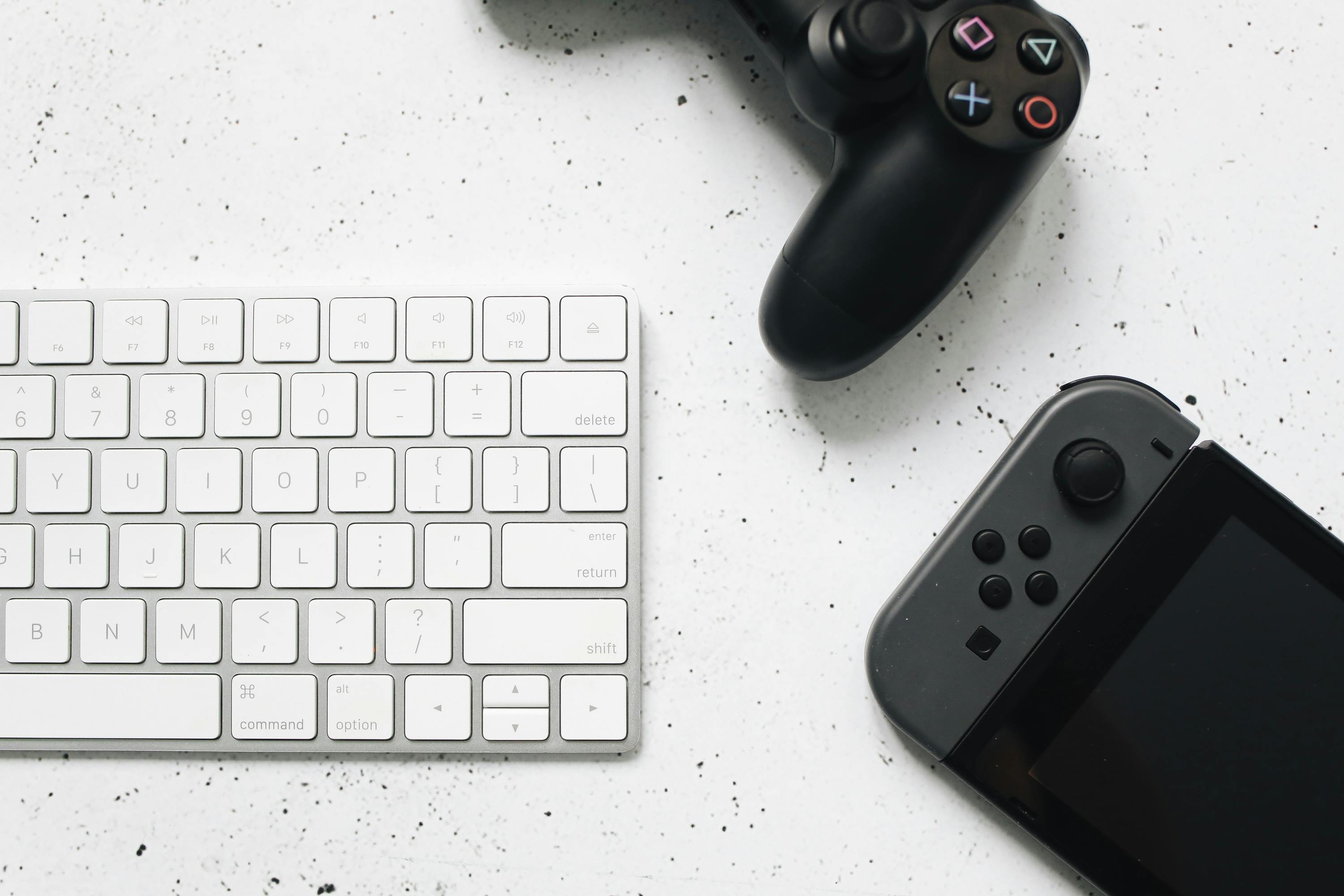
Cover photo (https://www.pexels.com/photo/white-computer-keyboard-on-marble-surface-4523022/) by Polina Tankilevitch, freely usable under the Pexels license.
- Järvinen 2009, p. 39.[↩]
- Hunicke, Leblanc, and Zubek 2004, section “MDA”.[↩]
- Järvinen 2009; Hunicke, Leblanc, and Zubek 2004.[↩]
- Sicart 2008, introduction.[↩]
- Frasca 2004.[↩]
- Richter 2010, p. 25. The quotations from Richter 2010 and Dittrich, Gelfand, and Schemmel 1987 in this work have been translated from German by myself.[↩]
- Richter 2010, p. 25.[↩]
- Crawford 1984.[↩]
- ibid., p. 19.[↩]
- ibid., p. 10.[↩]
- ibid., pp. 64 sqq.[↩]
- ibid., p. 64.[↩]
- Tekinbaş and Zimmerman 2003, section “Interactivity”.[↩]
- ibid.[↩]
- ibid., section “Games as the Play of Experience”.[↩]
- Richter 2010, pp. 53 sq.[↩]
- Wolf 1997.[↩]
- Richter 2010, p. 71.[↩]
- The earliest arcade and home video games were not based on microprocessors and therefore didn’t have “software” as the term is usually understood. It is hopefully not too much of a stretch that in the context of this work, any interactive electronic representation on a screen that constitutes a game can be understood as software.[↩]
- Mahdi Kafaee et al. present a concise version of the surprisingly complex history (Kafaee, Daviran, and Taqavi 2022, section 2) with the main observation being, at least for the purposes of this work, “[Christopher Latham] Sholes and his colleagues realized that type bars stuck together while typing”.[↩]
- Dittrich, Gelfand, and Schemmel 1987, p. 105.[↩]
- In 2001, the Los Angeles Times claimed, with reference to archaeological findings: “On Feb. 17, 1864, the [Confederate submarine H.L.] Hunley sank [...] for reasons that are not yet clear. [...] The steering mechanism [...] was a floor-mounted lever, very much like the joystick on modern airplanes” (Maugh II 2001).[↩]
- Blosset 1974, p. 6.[↩]
- Blosset 1974, footnote 8.[↩]
- Graetz 1981, p. 62.[↩]
- Bristow 1977.[↩]
- Custodio 2020, section “Manipulation and Mapping”.[↩]
- Montfort and Bogost 2009, chapter 1.[↩]
- It is astonishingly difficult to pinpoint the exact launch date, or even year, of an early analogue joystick, but for the purposes of this article it should be enough to note that BYTE Magazine had an article on building an analogue joystick interface as the lead story in their March 1977 issue (BYTE: The Small Systems Journal 1977, p. 88).[↩]
- See (Lowood 2009, p. 14), for instance.[↩]
- Hall 1976.[↩]
- Engelbart 1970.[↩]
- Venolia and Ichiwaka 1994.[↩]
- The earliest patent for a trackball for electrical devices, in this case, a radar device, seems to be William Alexander’s “tracking control apparatus” from 1961 (Alexander 1961).[↩]
- ibid., p. 6.[↩]
- The Steam controller has been discontinued, but the details can still be viewed on the Steam store at https://store.steampowered.com/app/353370/Steam_Controller/, as of 6 March 2026.[↩]
- Pictures abound online and in printed form, see for instance (Herman 2001, chapter 10).[↩]
- Cf. (Herman 2001, chapter 18.).[↩]
- Cf. (Herman 2001, chapter 22.).[↩]
- Custodio 2020, Introduction.[↩]
- Cf. (Herman 2001, chapter 16).[↩]
- In particular, Clone Hero is an engine for playing several rhythm games using a wide range of controllers.[↩]
- Cf. (Nintendo 2009, p. 6).[↩]
- https://midimonster.net, accessed on 6 March 2026[↩]
- Cairns et al. 2014, section “Conclusions and other work”.[↩]
- https://www.quadstick.com, accessed on 6 March 2026[↩]
- Drew Cook finds: “Spellbreaker’s map is not beholden to a contiguous representation of space. [...] Its connections are often contextual rather than literal.” (Cook 2023, A Brief Synopsis of Spellbreaker).[↩]
- The best resource to get acquainted with the internal workings of Doom is Fabien Sanglard’s Game Engine Black Book: DOOM (Sanglard 2022), which discusses the technology of the engine in detail. The non-existence of overlapping floors is a given, though, and not explicitely explained in the source code or the Black Book, so the most accessible description is quoted from the Doom Readme file: “Floors and ceilings can be of any height, allowing for stairs, poles, altars, plus low hallways and high caves” (ibid., p. 394).[↩]
- Hinton 1906, p. 182.[↩]
- Note that in competitive Tetris gaming, only the original NES controller is used, cf. section 4.7.[↩]
- Orland 2024.[↩]
- Riley Kelfer, for instance, recalls: “it was around [...] Quake (1996), that one of the earliest and most influential speedrunning communities would take form” (Kelfer 2022, p. 23).[↩]
- Burrows 2008.[↩]
- Wilde 2016.[↩]
- The term “engine” might not be immediately comprehensible. It usually refers to the software that is run to play a certain group of games, like the Doom engine or the Z-Machine for text adventure games by Infocom. Often, the necessary programming code can be modified or reverse-engineered in order to enhance the games while making them more portable at the same time.[↩]